GAME PERFORMANCE SOFTWARE | OPTIMISE YOUR GAMING EXPERIENCE
Performance issues rarely appear as obvious problems. A game can look perfectly fine at first glance, settings pushed where they should be, yet something doesn’t feel right once you start playing. Not broken, not unplayable…just inconsistent. A small stutter when turning the camera. A sudden drop in a busy scene. It’s the kind of thing that doesn’t show up in screenshots, but you feel it immediately while playing. Most people jump straight to hardware upgrades when that happens. Sometimes that’s the right move. But not always. In many cases, the issue isn’t raw power it’s how that power is being used. That’s where performance-focused software comes in. Not as a miracle fix, but as a way to understand, control, and sometimes stabilize what your system is already capable of.
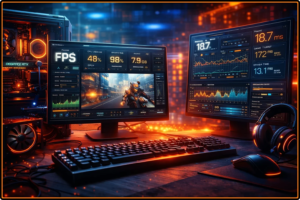
MSI Afterburner & RivaTuner – More Than Just Monitoring
MSI Afterburner is often seen as a tool for overclocking, but for most users its real value lies elsewhere. It allows you to monitor GPU usage, temperature, clock speeds, and power draw in real time. When paired with RivaTuner Statistics Server, it adds an in-game overlay that shows exactly what’s happening while you play. That information matters. A fluctuating GPU usage might explain stuttering. High temperatures might indicate thermal throttling. Without that visibility, you’re guessing. With it, you can actually see the problem. RivaTuner also allows FPS limiting, which is surprisingly powerful. Locking your framerate slightly below your system’s maximum can reduce frame pacing issues and eliminate sudden spikes. It doesn’t increase FPS, but it can make the experience feel significantly smoother. Consistency often matters more than raw numbers.
CapFrameX – Understanding Frame Time, Not Just FPS
Average FPS is the number everyone looks at, but it doesn’t tell the full story. Two systems can report the same average FPS and still feel completely different. That’s where CapFrameX comes in. This tool records and analyzes frame times – the actual intervals between frames. Instead of focusing on averages, it highlights spikes, dips, and inconsistencies that cause visible stutter. It gives you a much clearer picture of how a game performs over time. It’s not something every casual player needs, but if you’re trying to diagnose performance issues or compare settings properly, it becomes extremely useful. Smoothness isn’t about the average. It’s about stability.
NVIDIA Control Panel & AMD Adrenalin – Hidden Performance Tweaks
Driver software is often overlooked because it sits quietly in the background, but it has a direct impact on performance. Both NVIDIA Control Panel and AMD Adrenalin include settings that can influence latency, image processing, and GPU behavior. For example, enabling low latency modes can reduce input delay in certain games. Adjusting power management settings can prevent the GPU from downclocking too aggressively. AMD’s Adrenalin software also includes features like Radeon Anti-Lag and Radeon Boost, which dynamically adjust rendering to improve responsiveness. These aren’t one-click “FPS boosts,” and not every setting works the same across all games. But when used carefully, they can refine how your system behaves under load. Sometimes small adjustments here make a bigger difference than expected.
Process Lasso – Controlling CPU Behavior
Modern games don’t always distribute workload perfectly across CPU cores. In some cases, background processes interfere more than they should. Process Lasso is designed to manage CPU priorities and core usage more precisely. It allows you to assign higher priority to games and limit how other processes use system resources. For certain CPU-bound scenarios, this can reduce micro-stutter or inconsistent performance. It’s not something you install and forget. It requires a bit of understanding and careful setup. But in the right situation, it can help stabilize performance where standard system behavior falls short. Especially on systems with many background tasks running.
What These Tools Actually Do (And Don’t Do)
It’s important to stay realistic. None of these tools will magically turn a low-end system into a high-end one. They won’t double your FPS or replace the need for better hardware when it’s genuinely required. What they can do is different. They help you identify bottlenecks, reduce inconsistencies, and make better use of what you already have. In some cases, that leads to a noticeably smoother experience. In others, it simply helps you understand why performance is limited. And that matters. Because once you understand the limitation, you stop guessing.