
GAME COMPRESSOR | SHRINK YOUR GAME LIBRARY WITHOUT DELETING IT
A nearly full SSD usually forces the same unpleasant decision: uninstall a game that may be needed again or postpone installing something new. Game Compressor approaches the problem from another direction by reducing the physical space occupied by installed Windows games while keeping them immediately playable. The utility uses Windows’ native LZX compression technology, meaning it does not convert a game into a conventional archive that must be manually extracted before launch. Files remain in their normal folders, Windows decompresses the required data while it is being read, and launchers continue to treat the installation as an ordinary game library. Developed and published by Stone Pit Sons, Game Compressor left Early Access with version 1.0 on July 10, 2026, introducing a redesigned interface, additional automation, wider folder support and faster processing of installations containing large amounts of already-compressed media.
windows already has the technology
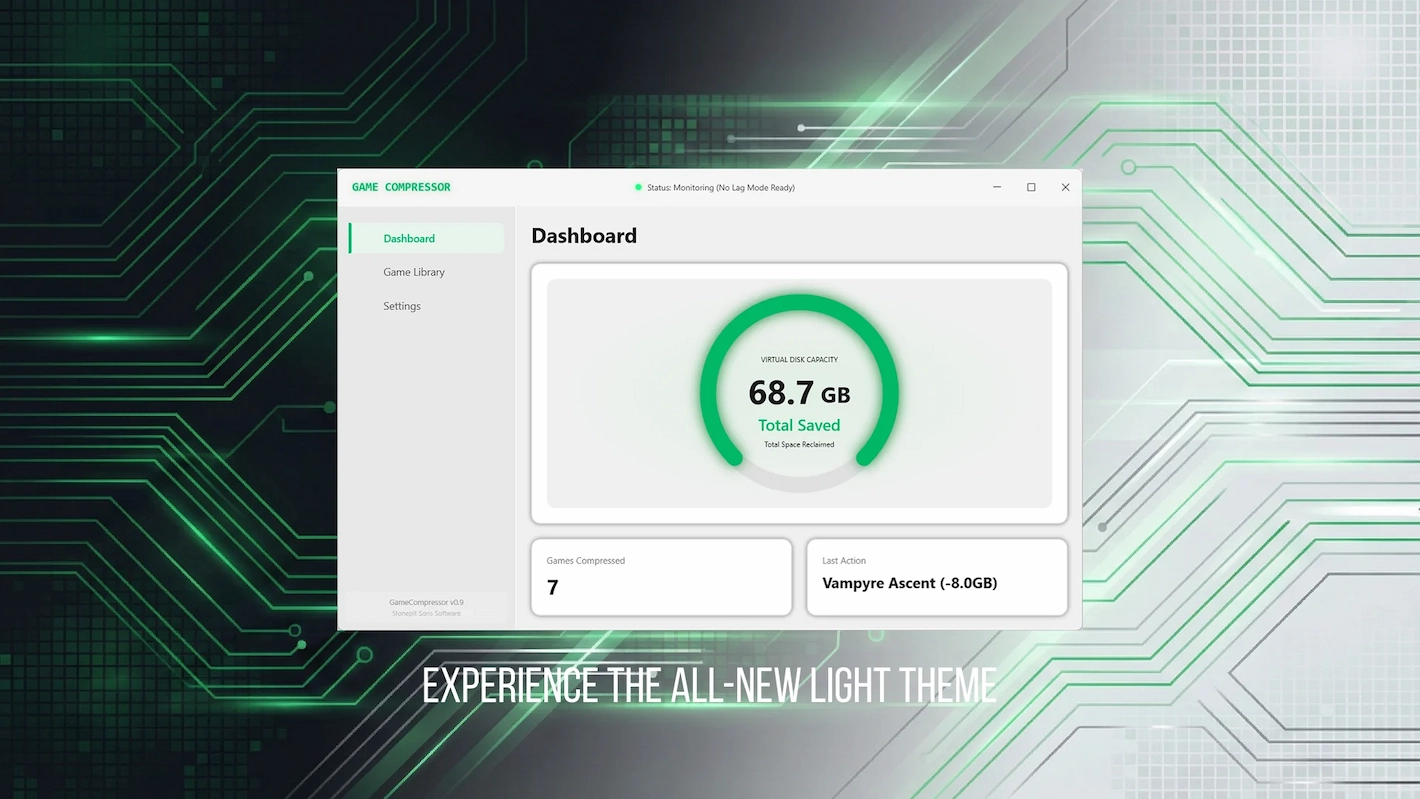
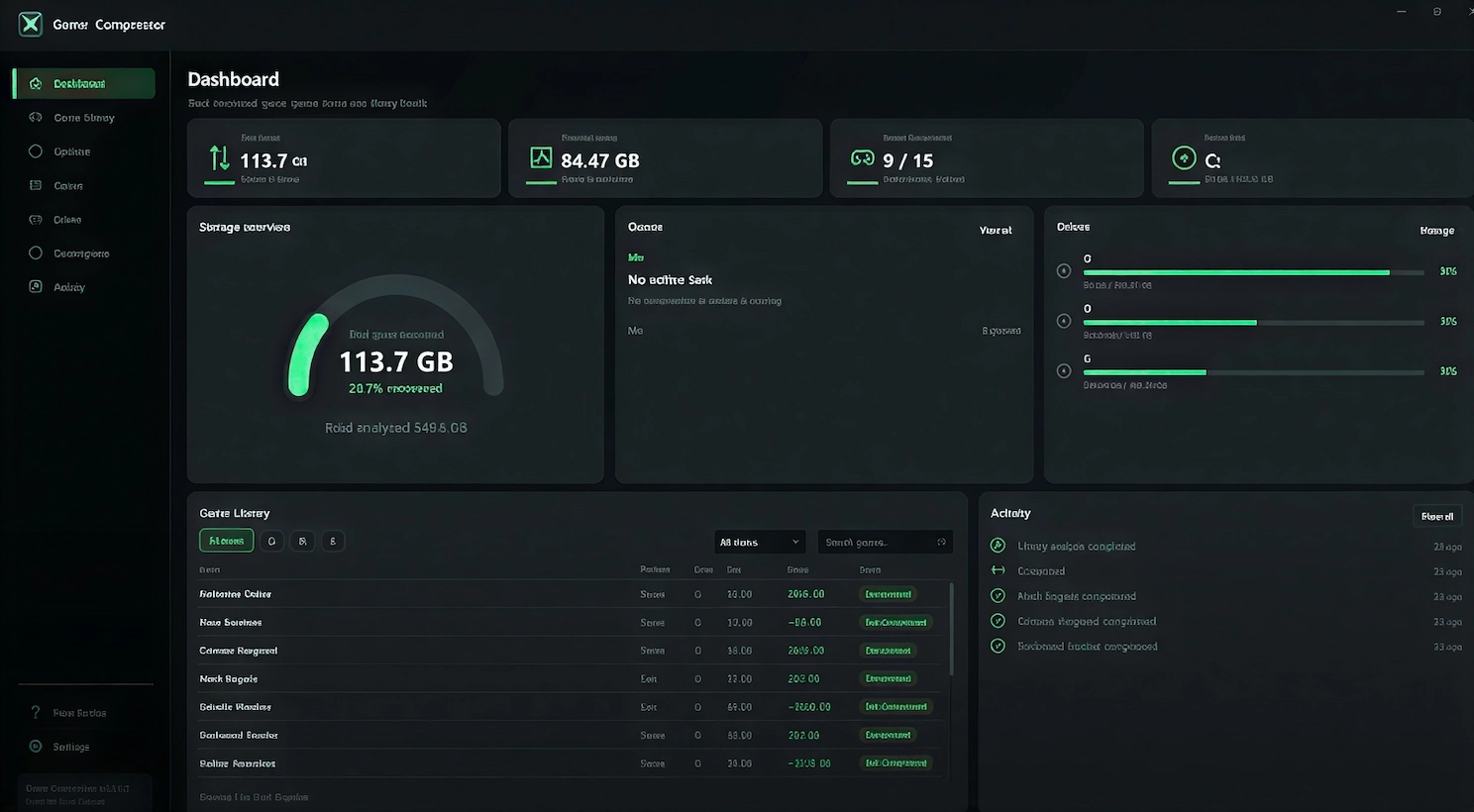
Game Compressor does not introduce a new compression algorithm. LZX support already exists inside Windows and can be accessed through Microsoft’s command-line tools, while utilities such as CompactGUI have provided graphical access to similar technology for years. What Game Compressor sells is a more focused management layer built specifically around game libraries. It scans selected folders, identifies installed titles, estimates how much space may be recovered, places compression jobs into a manageable queue and allows individual games to be returned to their uncompressed state. Tasks can be paused or cancelled, and the program keeps a record of completed operations so users can see what was changed. The distinction between file compression and archiving is important. A ZIP or RAR archive stores files inside a separate container and normally requires them to be extracted before the game can use them. LZX compression instead operates transparently through the Windows file system. Steam and other launchers still see the expected folders and filenames, while the operating system handles decompression during normal reads. The initial compression process writes the smaller versions of those files to disk, but playing the game afterward primarily involves reading and decoding them in memory rather than repeatedly rewriting the installation. Version 1.0 also allows users to process manually selected folders rather than limiting the utility to automatically detected game libraries. Windows Explorer integration makes it possible to begin compression directly from a folder, while monitoring features can identify files replaced by game updates and reapply compression where necessary. This matters because a large patched file may return to its ordinary uncompressed state after an update, gradually reducing the original space savings unless it is processed again. Game Compressor attempts to automate that maintenance instead of leaving the user to inspect every installation manually.
results depend entirely on the game
The developer advertises potential reductions of up to 50 percent, but that figure should be understood as a best-case possibility rather than a normal result for every title. Compression works by finding repeated or efficiently representable data. A game filled with uncompressed binaries, textures or loosely stored assets may shrink substantially, while an installation built around formats already compressed by the developer may offer very little additional space. Video, audio and packaged archives are often difficult to reduce further because much of their redundancy has already been removed. One reported example reduced ARK: Survival Evolved from approximately 169 GB to 91 GB, while Crimson Desert reportedly released around 32 GB of storage. Those are impressive figures, but they should not be treated as guaranteed or universally representative. A different game may save only a few gigabytes, and another may be effectively incompressible. Game Compressor tries to avoid wasting time by estimating likely savings before a full job begins and by skipping file types that are unlikely to benefit. The real value therefore depends less on the number of games installed than on how those particular games store their assets. This also means the utility may be most useful on systems where storage expansion is expensive or inconvenient. Compact gaming PCs, laptops and handheld-style Windows devices often have limited internal capacity, while some desktops already contain several large drives and gain little from another layer of storage management. Compressing one unusually large installation could create enough room for another game, but users with abundant free space may reasonably decide that the additional processing and monitoring are unnecessary.
performance claims require caution
The official product page promotes immediate playability and no FPS loss, but performance cannot be guaranteed identically across every processor, storage device and game engine. LZX reduces the amount of physical data that must be read from the drive, which can occasionally help loading when storage throughput is the limiting factor. At the same time, the CPU must decompress that data as it is requested. Modern processors often have enough unused capacity to handle the work without a visible frame-rate penalty, but the balance can change in CPU-heavy games, during asset streaming or on lower-powered hardware. Average frame rate is also not the only measurement that matters. A game may retain the same general FPS while developing longer loading pauses or less consistent frame times when new assets are streamed. That does not mean LZX compression is inherently harmful; it means “zero performance loss” is too broad to present as a universal technical fact without testing many titles across different systems. Users considering the utility should judge each game separately rather than compressing an entire library and assuming that every result will be identical. DirectStorage-enabled games require particular caution. DirectStorage 1.1 supports GPU decompression and is designed to move data efficiently from storage toward the graphics pipeline. Adding conventional Windows file-system compression can introduce an additional CPU decompression stage that works against that path and may cause stuttering or longer loading. Game Compressor’s version 1.0 documentation includes warnings and automatic handling intended to prevent unsuitable DirectStorage titles from being processed casually. Microsoft’s own DirectStorage documentation confirms that GPU decompression is one of the technology’s central features.
version 1.0 builds around convenience
The full release introduced a new visual design and expanded the number of tasks the program can handle without manual intervention. Stone Pit Sons says media-heavy games can now complete processing in roughly half the previous time while retaining the same final savings. The update also added ten features, numerous corrections and revised descriptions intended to explain settings more clearly across 30 supported languages. Many of those changes were reportedly shaped by feedback collected during Early Access. Game Compressor’s strongest argument is therefore not that it possesses exclusive technology. Advanced Windows users can access LZX through existing system commands, and free alternatives remain available. Its advantage is organization: library scanning, estimated savings, task queues, logs, decompression controls, update monitoring and a single interface designed around installed games. At its current Steam price of $5.99 in the United States, the buyer is paying for that convenience rather than for ownership of the underlying compression method. That distinction should be clear to anyone considering the software. Someone comfortable with command-line tools or an established free utility may see little reason to purchase it. Someone managing several libraries across multiple drives may value being able to inspect potential savings, process selected titles and automatically revisit updated files without learning Windows compression commands. The utility’s usefulness depends as much on the user’s patience and technical comfort as it does on the size of the library.
not every library needs to be compressed
Storage compression is not a substitute for sensible library management. Games that are no longer being played still consume space, compressed or otherwise, and uninstalling them remains the simplest way to recover the full installation size. Compression is more relevant when the user genuinely wants several large titles available at the same time or has limited bandwidth that makes downloading them again inconvenient. It is also reasonable to leave frequently updated or technically demanding games uncompressed while targeting older single-player titles with large, stable installations. This reduces the need to reprocess patched files and limits the possibility of additional CPU work appearing in games already close to a processor bottleneck. Game Compressor makes reversal possible, so the decision does not have to be permanent. A title that develops loading or frame-time problems can be decompressed without reinstalling the entire game. The safest approach is selective rather than automatic. Check the estimated reduction, compress one suitable game, compare its loading behaviour and performance, and then decide whether the recovered storage justifies repeating the process elsewhere. A result saving tens of gigabytes may be worthwhile. A result saving only a few hundred megabytes probably is not.