pcd TOP 5 | POWERFUL AND EFFICIENT CPUs YOU SHOULDN’T MISS
Picking the right CPU in 2025 is actually more nuanced than it might look at first glance. Sure, you want raw speed, but you also have to think about power consumption, cooling, platform longevity, and whether the chip makes sense for your use case gaming, content creation, or both. In today’s market, mid- to upper-mid-range chips often hit the sweet spot: you don’t pay flagship prices, but you still get excellent performance. Below are five standout CPUs that, in my opinion, are among the best buys this year each for different reasons. Here are the top 5 CPUs you should seriously consider:
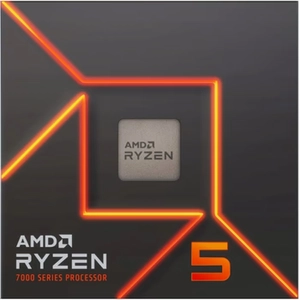
AMD Ryzen 5 9600X-Efficient and Surprisingly Powerful
The Ryzen 5 9600X is a very interesting pick in 2025 because it balances performance and efficiency in a way that feels rare. It’s a 6‑core / 12‑thread CPU, built on AMD’s Zen 5 (Granite Ridge) architecture. According to TechPowerUp, it has a base clock of 3.9 GHz and can boost up to 5.4 GHz. The TDP is officially 65 W, though under sustained load or with a higher power profile it can go up to ~105 W according to AMD’s cTDP spec. It uses socket AM5, which means it’s compatible with modern motherboards that support DDR5 and PCIe Gen 5. That’s great for future-proofing. Despite its modest core count, it has a healthy 32 MB L3 cache, which helps with responsiveness in gaming and light productivity. In practical use, the 9600X tends to be very efficient since it doesn’t draw as much power as many higher-core CPUs, you can cool it relatively easily. That makes it a strong choice for compact builds or for gamers who want a high clock speed without huge power demands. One limitation: because it’s a 6-core part, if you’re doing serious productivity work (rendering, encoding, heavy multitasking), you might feel constrained compared to 8-core or more CPUs. But for gaming (especially at 1080p or 1440p) and general use, it’s a very solid value pick.
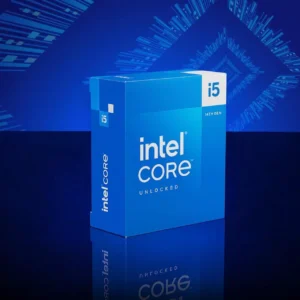
Intel Core i5-14600K-The Versatile All-Rounder
The Intel Core i5-14600K continues to be a strong contender in 2025. It’s built on Intel’s hybrid architecture: 6 “performance” cores (P-cores) + 8 “efficiency” cores (E-cores), for a total of 20 threads. The P-cores boost up to 5.3 GHz, while the E-cores go up to 4.0 GHz. Its PL1 (base) TDP is 125 W, and its maximum turbo power (PL2) can reach 181 W per Intel’s specs. It supports both DDR4 and DDR5 memory, giving flexibility depending on your motherboard. It also has PCIe 5.0 support, which is important if you plan to use next-gen SSDs or GPUs. In gaming, the 14600K is very capable: reviews consistently praise it for strong single-thread performance and good frame rates in a wide variety of titles. On productivity or multitasking workloads, the mix of P- and E-cores helps: you get good turbo performance without burning through too much power for background tasks. The downside? Power draw under heavy turbo loads can be quite high, so you’ll want a decent cooler. Also, because it’s a “K” chip, there’s no bundled cooler, so that adds cost.
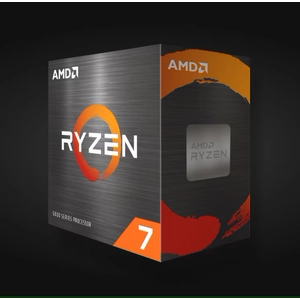
AMD Ryzen 7 9700X-Lower Power, High Efficiency
The Ryzen 7 9700X is one of AMD’s Zen 5 chips that doesn’t get as much hype as some, but it’s compelling. It has 8 cores / 16 threads, which gives it solid multitasking potential. Its base clock is 3.8 GHz, with a boost up to 5.5 GHz. One of the most attractive things about this CPU is its 65 W TDP, while still being able to handle heavier loads via a configurable TDP (cTDP) up to 105 W. For many users, that means efficiency without giving up too much performance. It supports DDR5 memory (rated speed ~5600 MT/s) and has PCIe Gen 5 lanes. According to testing (for instance from Heise), the 9700X shows good single-core performance and can be surprisingly efficient. That said, because of its relatively low power budget, it doesn’t always match more power-hungry or higher-core-count CPUs in multi-threaded productivity work but for balanced builds (gaming + content creation + general tasks) it’s a really solid bet. A caveat: AMD doesn’t provide a cooler with this chip, so you need to plan for a good aftermarket cooler, especially if you’re going to push the cTDP or run in sustained load.
AMD Ryzen 7 7800X3D-The Gamer’s Champ
If you’re building a gaming-focused rig and want to maximize frame rates, the Ryzen 7 7800X3D deserves a very close look. This CPU is part of AMD’s 3D V‑Cache family. It still has 8 cores / 16 threads, but where it really stands out is in its 96 MB of L3 cache stacked via 3D V‑Cache. Clock-wise, it runs at a base of 4.2 GHz and can boost to 5.0 GHz. Its TDP is rated at 120 W, although the actual power draw (PPT) under full load can go to 162 W per some reviews. Because of the unique cache structure, it doesn’t overclock in the same way as standard CPUs, but its gaming performance in cache-sensitive titles (especially competitive or FPS games) is tough to beat. Benchmarks have shown that in many games, this CPU can match or even surpass more expensive chips because the large cache helps reduce latency and improve frame rates. However, in non-gaming workloads (rendering, heavy multi-thread tasks), the benefit of V-Cache diminishes so if you’re doing mostly productivity work, you might not get as big a payoff. Cooling is important: given the power and the design, you’ll want a good cooler to keep thermals in check. But for pure gaming builds, especially for high-FPS competitive play, the 7800X3D remains a top-tier choice.
Intel Core Ultra 7 265K-Forward-Looking, AI-Ready
Finally, the Intel Core Ultra 7 265K is the more speculative but potentially rewarding pick. Built on Arrow Lake (Ultra) architecture, it brings a hybrid core design: 8 performance cores + 12 efficiency cores, totaling 20 cores / 20 threads. The P-cores run at a base of 3.9 GHz and boost up to 5.5 GHz. One of the standout features is its Neural Processing Unit (NPU), rated at 13 TOPS, which gives it on-chip AI acceleration. This is useful if you’re planning for workloads that involve AI inference, local AI tasks, or simply want to experiment with AI workloads on your desktop. Memory support is modern: DDR5-6400 is supported, according to Intel’s spec sheet. It also offers PCIe 5.0 connectivity. The TDP is 125 W, but under turbo it can spike much higher PL2 power can reportedly go up to 250 W in some scenarios. Also note: this uses the LGA1851 socket, which means a new motherboard is required upgrading old systems may not be trivial. Reviewers are mixed: the NPU is useful, but for pure gaming, some argue that performance doesn’t clearly outpace existing chips. Still, if you’re building a PC for a use case that mixes gaming, productivity, and AI, this chip could pay off in the long run.
How These CPUs Compare: Use-Cases & Recommendations
Putting all these together, here’s how I see their value depending on what you’re building and what you care about: Gaming-First, Budget-Conscious The Ryzen 5 9600X is compelling. You get very good single-core performance, efficient power draw, and modern features all without paying flagship prices. Multi-Tasking & Productivity with Gaming: The Intel Core i5-14600K is a great pick. Its hybrid core setup handles background tasks well while giving you strong burst performance in games. Efficient 8-Core Option: The Ryzen 7 9700X is ideal if you want 8 cores but also want to keep power consumption reasonable. Great for compact builds or for users who don’t need 16+ threads. Competitive & High-FPS Gaming: The Ryzen 7 7800X3D is probably the best all-in for pure gaming, especially for titles sensitive to cache and latency. Future-Proof + AI Workloads: The Core Ultra 7 265K is the one if you want to experiment with AI, local inference, or just want a more future-oriented platform but you’ll pay in board costs and potentially higher power draw.
Final Thoughts
In 2025, you really don’t have to pick between performance and value the way you might have a few years ago. These five CPUs reflect different philosophies and priorities, but each one is a smart buy depending on your build goals. My advice: think about where you’re going to use the system for the next 3-5 years. If gaming is your priority, lean toward the 9600X or 7800X3D. If you want a more balanced system, the 14600K or 9700X may serve you better. And if you’re intrigued by AI workloads, the Ultra 7 265K gives you something not many other mainstream desktop chips support natively. Once you decide on the CPU, make sure your motherboard, cooler, and memory match its strengths that’s often where the biggest performance differences come from in real-world use.