AIR VS LIQUID COOLING FOR PC | COMPLETE GUIDE FOR MODERN BUILDERS
Cooling is one of those components of a PC that rarely stands in the spotlight, yet quietly determines how powerful, stable, and enjoyable your machine truly is. Gamers talk about GPUs, productivity users obsess over CPU performance, and builders often focus on aesthetics or upgrade paths but thermal management is the invisible backbone that keeps everything running at peak capability. As processors grow hotter and components become more power-hungry, the question “air or liquid cooling?” has become more than a matter of preference. It affects noise, performance, longevity, and the entire daily experience of using a PC. Although on paper these two cooling methods seem easy to compare, in real-world systems their behavior depends on case layout, workload type, fan quality, ambient temperatures, and even the builder’s personal habits. What follows is a detailed, practical guide based on real experience assembling and testing a wide variety of builds from compact office PCs to high-end gaming rigs and multi-GPU workstations. Instead of oversimplifying, this guide aims to provide depth where it truly matters, helping you choose a cooling method that matches your hardware, your lifestyle, and your expectations.

Understanding How Both Cooling Systems Operate
Air cooling relies on a metal heatsink mounted directly onto the CPU. Heatpipes conduct thermal energy from the processor into a network of aluminum or copper fins, and a fan blows cooler air through those fins to dissipate heat. Everything is contained in a single, relatively simple block of metal and plastic. There’s elegance in that simplicity: it does one job and does it well. Liquid cooling functions differently. Here, coolant circulates through a waterblock on the CPU, carrying heat toward a radiator positioned elsewhere in the case. Fans mounted on the radiator exhaust warm air out of the system. Because water absorbs and transports heat much more efficiently than air, this method spreads thermal load over a large surface area, allowing more consistent temperatures during heavy or sustained workloads. Both rely on fans liquid cooling simply moves the heat before blowing it out. That distinction shapes almost every advantage and disadvantage each method carries.
The Case for Air Cooling: Strength Through Simplicity
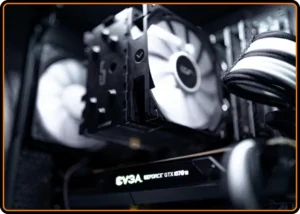
Air coolers remain the foundation of most PC builds for good reason. They are straightforward, durable, and incredibly cost-effective. A tower cooler has practically no failure points beyond the fan and fans can be replaced in minutes at minimal cost. There are no pumps that can fail, no coolant that can evaporate over years, no tubing that can develop issues. This reliability makes air cooling ideal for long-term systems or users who prefer hardware that requires little attention. Install it once, dust it occasionally, and it will work for years. Even mid-range tower coolers deliver excellent thermal performance for everyday gaming and productivity. Another strength is pricing. For the same money required to purchase a mid-range AIO liquid cooler, you can often buy a high-end air cooler that performs extremely well. Air coolers also don’t introduce additional complexity to the build. There’s no radiator placement to think about, no hose orientation concerns, and no pump noise to consider. Air cooling does have its drawbacks. High-performance air coolers can be massive, sometimes crowding RAM slots or making certain cases awkward to work in. Their noise profile under heavy load also tends to be more noticeable because a single fan must compensate for increased heat output. And since an air cooler exhausts heat directly inside the case, overall component temperatures depend heavily on case airflow. Even with those limitations, air cooling remains the most practical and dependable solution for the majority of users especially those building mid-range gaming systems, office machines, or budget-conscious rigs.
Where Liquid Cooling Truly Shines
Liquid cooling’s greatest asset is its ability to maintain stable temperatures over long, sustained workloads. Coolant doesn’t saturate with heat as quickly as a metal heatsink, giving liquid coolers a built-in buffer that keeps CPU temperatures steadier, especially during multi-core workloads such as video editing, rendering, simulation, or large code compilation. Liquid coolers are also often quieter under heavy load. Radiators have more surface area, meaning fans don’t need to spin as aggressively. The pump produces a faint hum, but modern designs are far quieter than they used to be, and in many builds the pump noise becomes barely noticeable behind overall system sound. Physical clearance is another major advantage. By relocating heat away from the CPU socket, liquid coolers free up space around RAM slots and VRM heatsinks. This can dramatically improve both aesthetics and practicality, especially in systems where airflow direction and cable management matter visually. But liquid cooling also brings trade-offs. AIO coolers cost significantly more than comparable air coolers. They introduce complexity mounting a radiator, arranging hoses, fitting the pump block. And while leaks are rare in modern designs, the possibility exists. Pump failure is also a reality; once the pump stops working, the entire unit must be replaced. Because of that, AIO coolers have a finite lifespan, usually somewhere between three and seven years depending on brand and usage. Custom loops offer unmatched performance and beauty but require maintenance, attention, and a level of care most everyday users simply don’t want to commit to. They are a passion project, not a standard cooling solution.
Real-World Performance and How It Impacts Gaming and Workloads
Performance differences between air and liquid cooling can be dramatic or negligible depending on the task. In gaming, even powerful CPUs rarely sustain all-core loads for long. Temperature spikes occur, but they are brief, and most high-end air coolers handle them efficiently. The difference becomes noticeable in CPU-heavy titles or in games with inconsistent thread distribution, where liquid cooling can maintain higher boost frequencies for prolonged bursts. The real divide appears in professional or creative workloads. Rendering, encoding, and scientific computing keep CPUs pinned at 100% for extended periods, and air coolers eventually saturate under that thermal pressure. Liquid coolers, with their distributed heat dissipation, provide more headroom. This can translate directly into faster completion times for long tasks. Overclocking is another realm where liquid cooling often takes the lead. Although certain high-end air coolers can compete, liquid cooling generally provides a few extra degrees of thermal breathing room enough to stabilize higher voltages or sustain more aggressive curves.
Noise, Heat Distribution, and Daily Usability
Noise is one of the most undervalued aspects of cooling choice. Air coolers are simple and effective, but they depend on faster fan speeds under heavy load, creating more audible airflow. Some users don’t mind this; others find ramping fans distracting. Liquid coolers spread the thermal load across two or three fans that run at lower speeds, offering a more consistent and quieter sound profile. The pump itself is very quiet in modern AIOs and often blends into background noise. Heat distribution also differs significantly. Air coolers push warm air inside the case, raising overall system temperatures unless airflow is excellent. Liquid coolers carry heat directly to a radiator, which usually vents outside the chassis. This keeps internal temperatures more balanced, benefiting not only the CPU but also VRMs, RAM, and even the GPU. Daily usability matters just as much as raw numbers. Air coolers require no thinking after installation. Liquid coolers require a bit more trust and awareness listening for pump noise, checking hoses for unwanted tension, and occasionally adjusting fan curves to balance noise and temperature.

Long-Term Ownership and Maintenance Across Both Methods
Long-term experience can shape a user’s preference more strongly than performance benchmarks. Air coolers age gracefully. Fans might eventually need replacement, but the heatsink itself can outlast multiple builds. Many builders reuse the same cooler across years of upgrades, buying only new brackets if required. AIO liquid coolers have a finite operational lifespan. The pump gradually wears, coolant permeates slowly through tubing over time, and thermal performance declines slightly as years pass. This isn’t an issue for many users an AIO lasting five years covers an entire upgrade cycle but it’s important to understand that the unit is disposable. When it fails, it must be replaced entirely. Custom loops demand maintenance: draining, flushing, checking fittings, refilling coolant, preventing algae growth, and ensuring that the pump remains healthy. Beautiful? Absolutely. Practical? Only for those who enjoy the hobby.
How to Choose the Right Cooling Based on Your Needs
Choosing between air and liquid cooling becomes easier when framed around the type of user and workload. If your goal is simplicity, stability, and durability, air cooling is the clear winner. It delivers consistent performance with minimal cost and requires almost no long-term maintenance. For mainstream gaming PCs, office systems, and general-purpose desktops, a good tower cooler is more than enough. If you prioritize quiet operation under heavy load, sustained boost frequencies, or regularly perform demanding multi-core work, then liquid cooling offers noticeable advantages. High-end CPUs in particular benefit from the thermal overhead that radiators provide. Builders who value aesthetics and cleaner internal layouts also tend to prefer liquid coolers. Those who want the absolute peak of performance and visual customization may consider stepping into custom loops, but this is a path for enthusiasts rather than everyday users.